
Finding alternative electronic components can be a hassle without Ultra Librarian’s tools.
There are times in the lifecycle of a PCB layout when components need to be swapped, removed, or added as they become obsolete, need upgrades, or are out of stock. Depending on the situation, finding electronic components can be difficult, as it requires locating:
- Specifications
- Footprints
- Package sizes
- Processing
Therefore, whenever the need arises, designers require resources to help them find alternative electronic components.
From a PCB librarian’s perspective, this process isn’t just about “finding parts.” It’s about maintaining accuracy, consistency, and reliability across the organization’s entire component library to ensure that replacements fit not only the design, but also sourcing, compliance, and manufacturing needs. |
Ultra Librarian is one resource designers can use to locate alternative electronic components and import them into a PCB project. A comprehensive search engine is the main tool designers should use to find their desired component.
For PCB librarians, Ultra Librarian also serves as a platform to proactively curate, validate, and manage component data, reducing the risk of errors and ensuring the library supports long-term design reuse.
How to Find Alternative Electronic Components Using a Search Engine
When you need to find an alternative part for a design, what is the best way to start searching for a replacement?
Usually, designers likely start with one of the following options:
However… These options don’t always produce quick results, or they require a designer to compromise on an alternative with different specifications, prices, lead times, or CAD data. For PCB librarians, these “ad-hoc” searches also create risk if the resulting components are not properly vetted and standardized in the central library. |
CAD data is especially critical, as designers typically do not need to manually create symbols or footprints for replacement parts. However, in some situations, such as finding an emergency alternative part for a fabricated bare board, the CAD data for the required part must be created by the librarian. In cases like this, the footprints must be compatible to ensure quality and successful board builds.
This is where Ultra Librarian provides dual value:
|
Search by Part Type
Many parts are named based on the function they perform. For instance, using a query like “voltage regulator,” “level shifter,” or “interface bridge” is one of the simplest ways to generate a long list of components with varying specifications.
Searches like this provide a clear view into the supply chain, allowing you to see what’s available from multiple manufacturers and some of the basic specifications for each part. An example of the query “interface bridge” is shown below.
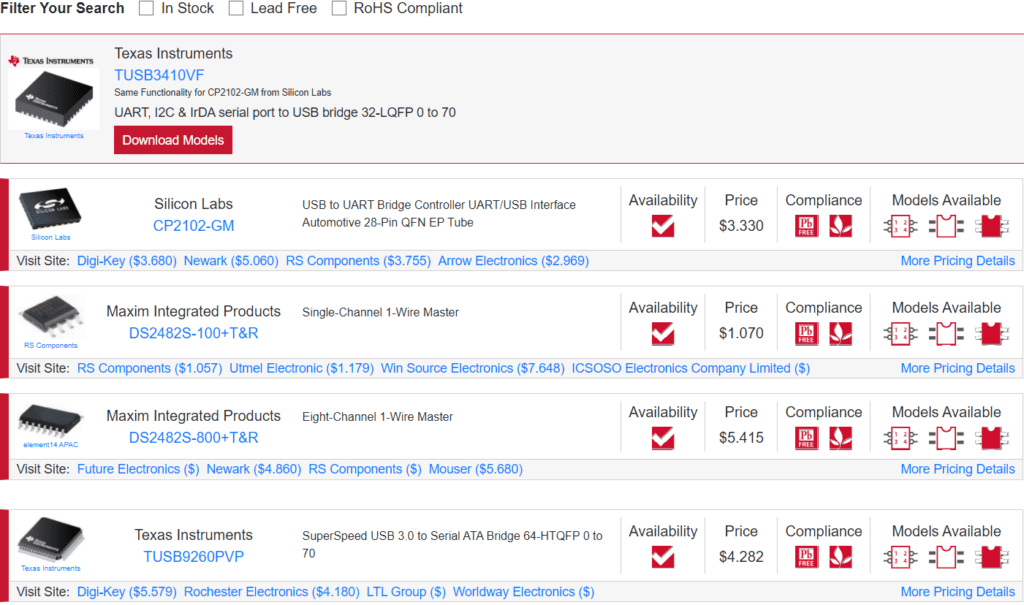
While this is a simple way to see what parts are available on the market, it’s best used early in the design phase when a desired component is determined to be unavailable. Generating a long list of parts allows you to develop an alternative solution without locking your design into a specific footprint, package style, pinout, or function. If you have already passed this stage and need much more specific information, you can begin using the search strategies for alternative electronic components below.
Search by Electrical Specification
This is the most common search type for alternative electronic components and CAD models after a design has been constructed around a specific set of components:
- If you add an electrical value (input voltage is common) to a part-type-based search, you can narrow it down to a smaller group of search results that is easier to manage.
- If you’re a fan of specific manufacturers, you can type in a company name and browse all their available components within a specific category. This is best combined with a part type-based search to narrow down to a specific set of components that match electrical specifications for an existing part in your design.
Search by Package Type or Mounting Style
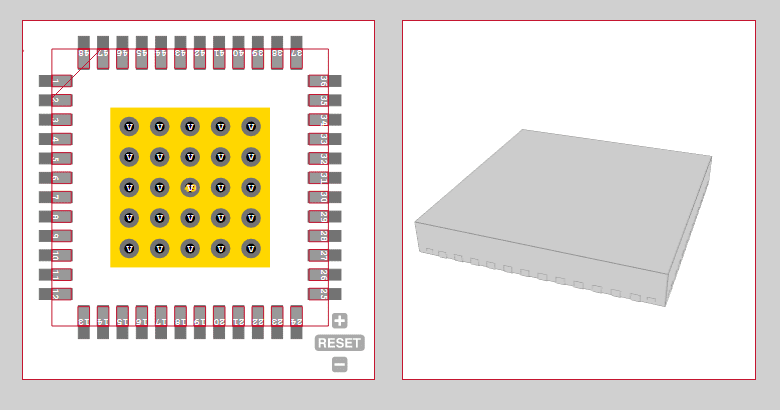
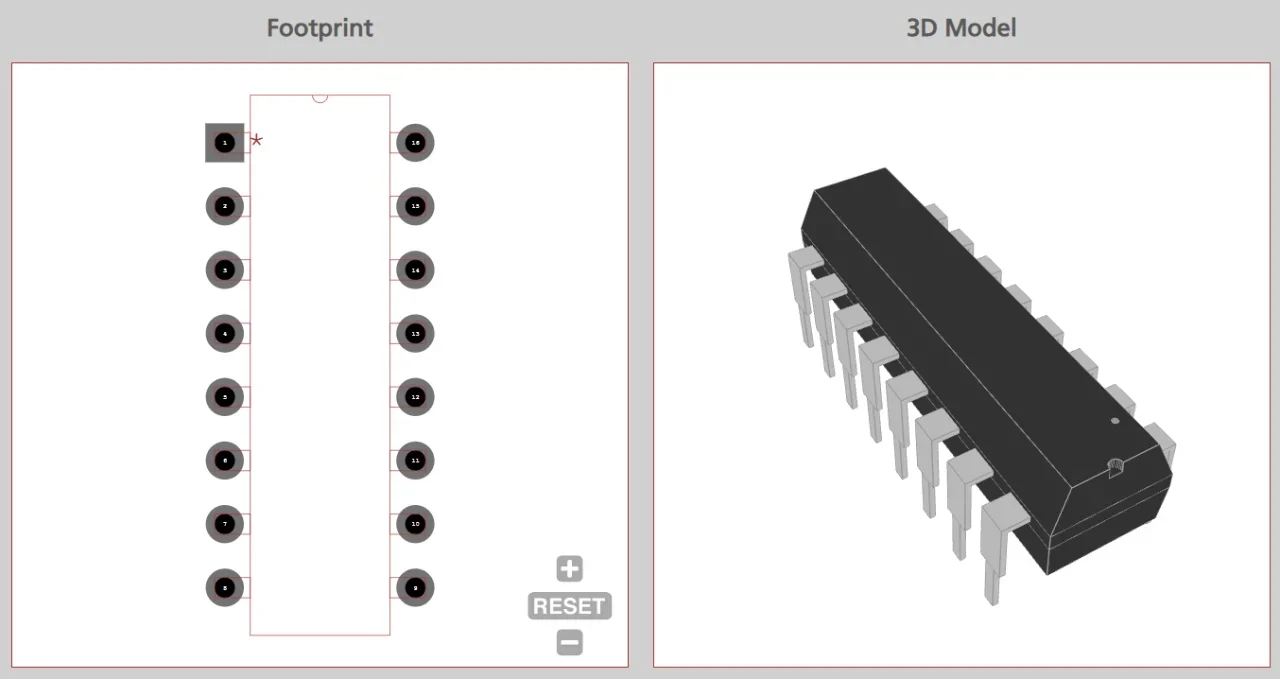
Searching by package type (e.g., TO-220) or mounting style (e.g., SMD level shifter) is an excellent way to find alternative parts after a footprint has already been placed in the design. If you don’t want to change the footprint or create a new one, you’ll want to find a drop-in replacement that can match the existing footprint. This is critical if you have fabricated boards that are awaiting assembly. Once you click into a component, you’ll be able to see the PCB footprint, and you can open the datasheet to see the pinout and ensure compatibility.
Search by Application
This is another front-end strategy you can use if you’re unsure of the type of component you need. For example, take a look at the query “WiFi” in the Ultra Librarian search engine: you’ll see a long list of components used in some portion of a WiFi system.
Results will be available from multiple manufacturers and a range of specifications. This is a good strategy if you need to browse for an alternative solution to your desired component or if you’re having trouble with another search query.
PCB Librarian Management: Selecting and Using Alternative Electronic Components
A librarian’s stance treats substitutions as library events, not ad-hoc fixes. The goal is to protect design integrity, manufacturability, and supply continuity by enforcing standards, approvals, and traceability.
For this reason, the data in Ultra Librarian’s search results and parts database is all provided directly from manufacturers and distributors. Ultra Librarian partners with major semiconductor manufacturers, so the CAD data and supply chain data are always accurate.

 If you’re looking for any of our component footprints or models, we have readily available and free options for you and your design team. Search our library for the solution you’ve been looking for.