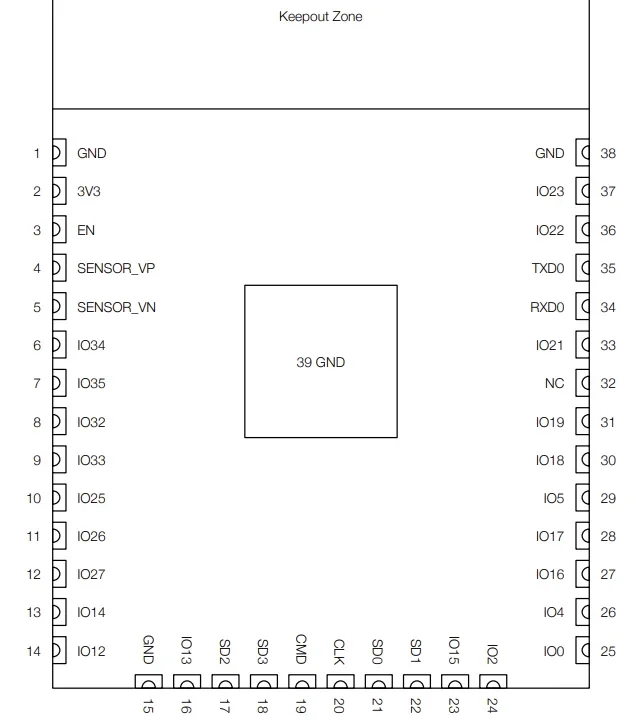
The original ESP32 changed the landscape of embedded electronics by offering dual-core processing and integrated Wi-Fi/Bluetooth at an unheard-of price point. However, looking up an “ESP32 datasheet” today is no longer straightforward. The ecosystem has expanded from a single chip into a complex family of S, C, H, and P series variants, each with unique architectures and target applications.
Navigating these documents requires understanding not just the pinouts but also the architectural differences, from the classic Tensilica Xtensa cores to the newer RISC-V-based designs. This guide breaks down the differences found in the datasheets of the major ESP32 variants, helping you select the right silicon for your next product.
The ESP32 Family Tree
The original ESP32 (often called the ESP32-WROOM) offered a powerful general-purpose platform. Its successors, however, are more specialized tools. Reading a modern ESP32 datasheet requires you to first identify the series:
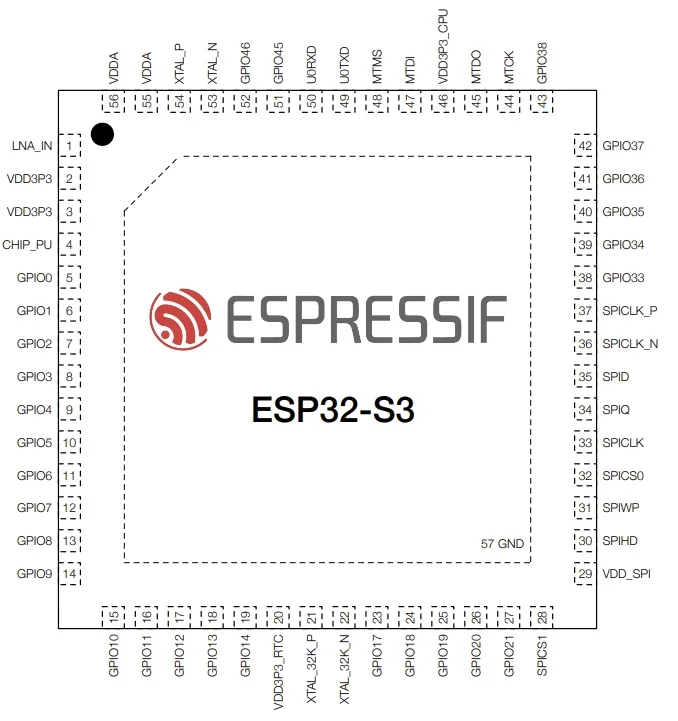
- S-Series (S2, S3): High-performance chips designed for heavy edge computing, featuring specific vector instructions within its Xtensa LX7 core. These instructions accelerate neural network calculations, enabling the S3 to run voice recognition and simple image classification models locally (AI). For Human-Machine Interfaces (HMIs), it includes a native RGB LCD interface and dedicated camera support, enabling it to drive complex graphical displays that simpler variants cannot. The S3 is currently the flagship high-performance MCU.
- C-Series (C3, C6): Cost-effective replacements for the ESP8266. These are the first to embrace the open-standard RISC-V architecture. By eliminating the licensing fees associated with proprietary cores (like ARM or Xtensa), Espressif can offer these chips at a lower price point. They provide modern security and improved power efficiency, making them the new standard for simple, high-volume IoT nodes.
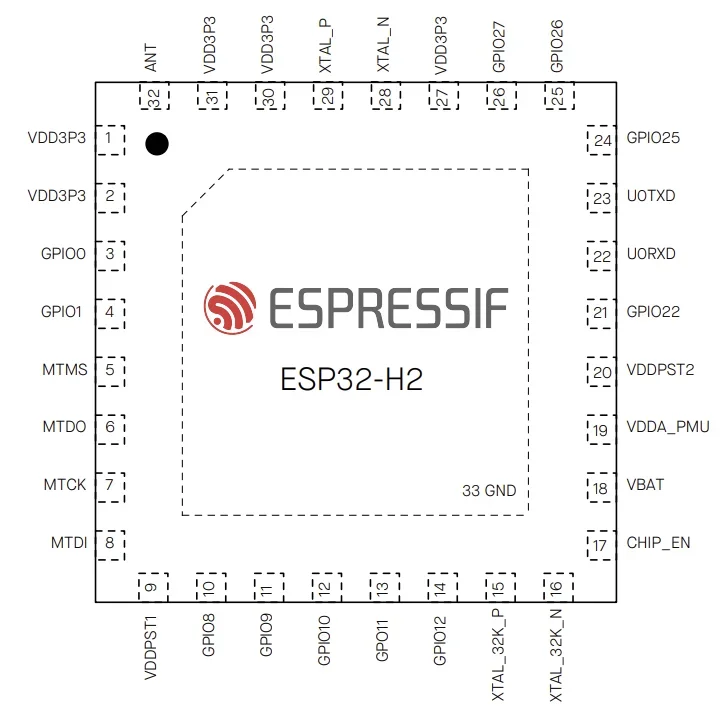
- H-Series (H2): This series focuses exclusively on IEEE 802.15.4 and Bluetooth LE connectivity. By removing the power-hungry Wi-Fi radio, the H2 achieves ultra-low power consumption, making it suitable for coin-cell-powered devices. It is purpose-built for Matter, the new industry-standard application layer that ensures interoperability between ecosystems like Apple Home, Google Home, and Alexa. Specifically, the H2 handles Matter over Thread, a self-healing mesh networking protocol. This makes the H2 the ideal choice for “End Devices” (sensors, switches, light bulbs) or as a radio coprocessor for a Thread Border Router.
Detailed Variant Comparison
| Feature | ESP32 (Original) | ESP32-S2 | ESP32-S3 | ESP32-C3 | ESP32-C6 | ESP32-H2 |
| Core Arch. | Xtensa LX6 | Xtensa LX7 | Xtensa LX7 | RISC-V | RISC-V | RISC-V |
| Core Count | Dual | Single | Dual | Single | Single | Single |
| Clock Speed | 240 MHz | 240 MHz | 240 MHz | 160 MHz | 160 MHz | 96 MHz |
| Wi-Fi | Wi-Fi 4 (b/g/n) | Wi-Fi 4 | Wi-Fi 4 | Wi-Fi 4 | Wi-Fi 6 (ax) | None |
| Bluetooth | v4.2 + BLE | None | BLE 5.0 | BLE 5.0 | BLE 5.3 | BLE 5.3 |
| IEEE 802.15.4 | No | No | No | No | Yes | Yes |
Key Specifications Across ESP32 Datasheets
When you open an ESP32 datasheet, three specific sections usually determine a project’s feasibility: processing power, connectivity standards, and memory architecture.
Processing: Xtensa vs. RISC-V
The original ESP32 and the S-series use Xtensa cores, a proprietary architecture known for high digital signal processing (DSP) performance. The ESP32-S3, for instance, includes vector instructions specifically to accelerate neural network computing, making it ideal for voice recognition or simple image classification.
The C and H series utilize RISC-V cores. This open-standard architecture is generally more power-efficient and cost-effective. While a single-core RISC-V at 160 MHz (like in the C6) won’t crunch numbers as fast as a dual-core S3, it is more than capable of handling secure IoT communication stacks like Matter or AWS IoT Core.
Connectivity: Wi-Fi 6 and Matter
The most significant update in recent datasheets is the inclusion of Wi-Fi 6 (802.11ax) in the ESP32-C6. Wi-Fi 6 introduces Target Wake Time (TWT), which allows the radio to negotiate wake-up schedules with the router, greatly reducing power consumption compared to Wi-Fi 4.
The ESP32-H2 is unique in the lineup because it lacks Wi-Fi entirely. It is designed strictly as a coprocessor or a standalone node for Thread and Zigbee mesh networks. If your device needs to bridge a Matter mesh network to the internet, you would typically pair an H2 with an S3 or C6.
Memory Options
Unlike traditional microcontrollers with fixed internal flash, many ESP32 variants support external SPI Flash and PSRAM (Pseudo-Static RAM).
- Embedded Flash: The “FN8” or “FH4” suffixes in part numbers often indicate in-package flash (e.g., 4MB or 8MB), simplifying PCB design.
- PSRAM: Important for applications that require frame buffers (e.g., displays) or audio streams. The ESP32-S3 supports Octal SPI PSRAM, which offers significantly higher bandwidth than the Quad SPI interface found on the original ESP32.
Power Consumption Analysis
A common pitfall when reading these datasheets is confusing “Chip Power” with “Module Power.” The datasheet numbers usually refer to the bare silicon.
- Deep Sleep: The original ESP32 was more power-hungry, drawing around 10 µA to 150 µA in deep sleep depending on the revision. Newer RISC-V chips like the C3 and C6 have optimized this down to ~5-7 µA.
- Active Current: Wi-Fi transmission peaks can reach 300-350 mA. However, the ESP32-C6’s Wi-Fi 6 radio is more efficient per byte transferred.
Application Recommendations
Choosing the wrong variant can lead to code bloat or insufficient I/O. Here is a quick breakdown of where each chip excels:
- ESP32 (Original): Legacy projects. It’s still powerful, but the S3 and C3 are generally better choices for new designs due to efficiency.
- ESP32-S3: The go-to for displays, cameras, and voice assistants. If you need a parallel RGB interface for a screen or high-speed USB OTG, this is your chip.
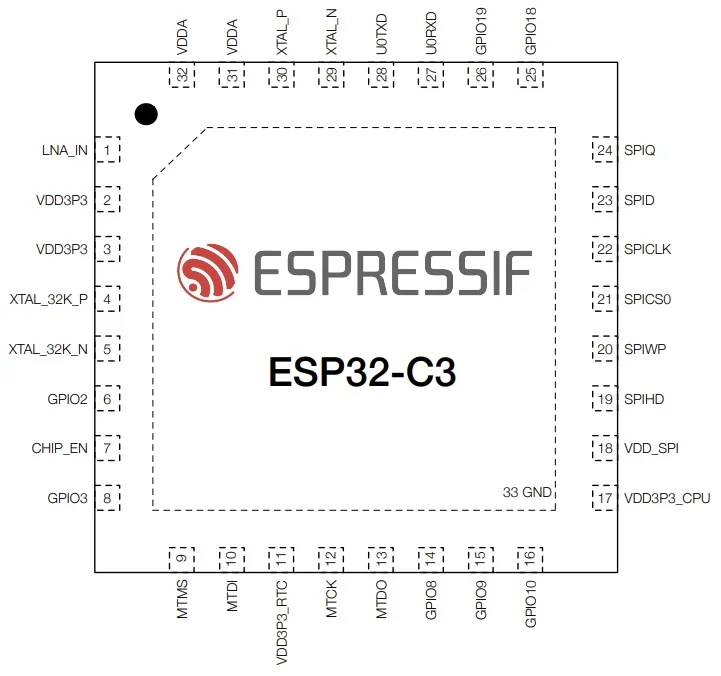
- ESP32-C3: The “standard” IoT node. It is the perfect low-cost replacement for the ESP8266, bringing modern security (Secure Boot V2) and Bluetooth 5 to simple smart plugs and sensors.
- ESP32-C6: Future-proofing. Use this for battery-powered Wi-Fi sensors where Wi-Fi 6 TWT can extend battery life, or for Matter-over-Wi-Fi devices.
- ESP32-H2: Battery-operated mesh nodes. Ideal for Thread/Matter sensors (door/window sensors, temperature) that run on coin cells and don’t need direct Wi-Fi connectivity.
Software Ecosystem: Arduino vs. ESP-IDF
The datasheet specs are only useful if the software supports them. Espressif supports all variants in their official ESP-IDF (IoT Development Framework) immediately upon release. This is the native C/C++ environment and offers the most control over low-power modes and security features.
For Arduino IDE users, support lags slightly behind hardware releases.
- Legacy Support: ESP32, S2, S3, and C3 are fully mature in the Arduino core.
- Newer Silicon (C6, H2): Support for these was introduced in the Arduino ESP32 Core version 3.0. If you are trying to compile for an ESP32-C6 and cannot find the board definition, ensure your Board Manager is updated to v3.0 or later. This update upgraded the underlying IDF to v5.1, so be prepared for minor breaking changes in older libraries.
The term ESP32 refers not just to a single device but to a growing ecosystem of specialized silicon. Choosing the right ESP32 and referencing the correct ESP32 datasheet is important, as it impacts power consumption, connectivity, memory architecture, and long-term scalability. Whether you’re designing in popular ECAD applications or sourcing components from worldwide distributors, Ultra Librarian helps streamline the process by connecting verified component data, footprints, and models directly into your workflow.
Working with Ultra Librarian sets your team up for success, ensuring streamlined and error-free design, production, and sourcing. Register today for free.

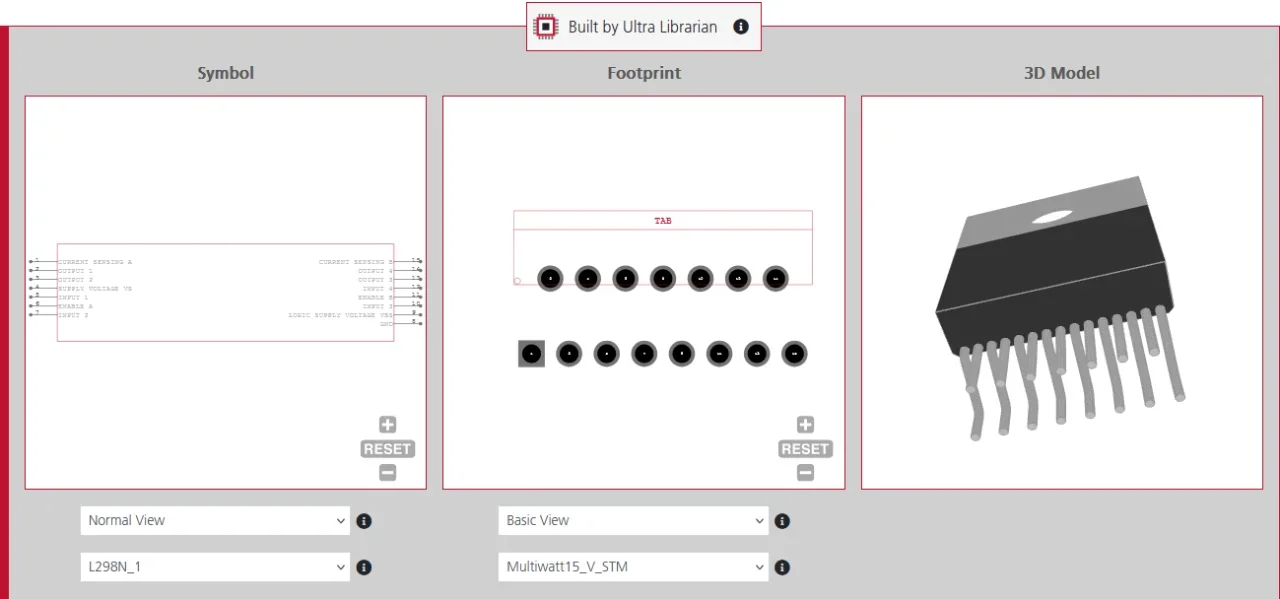
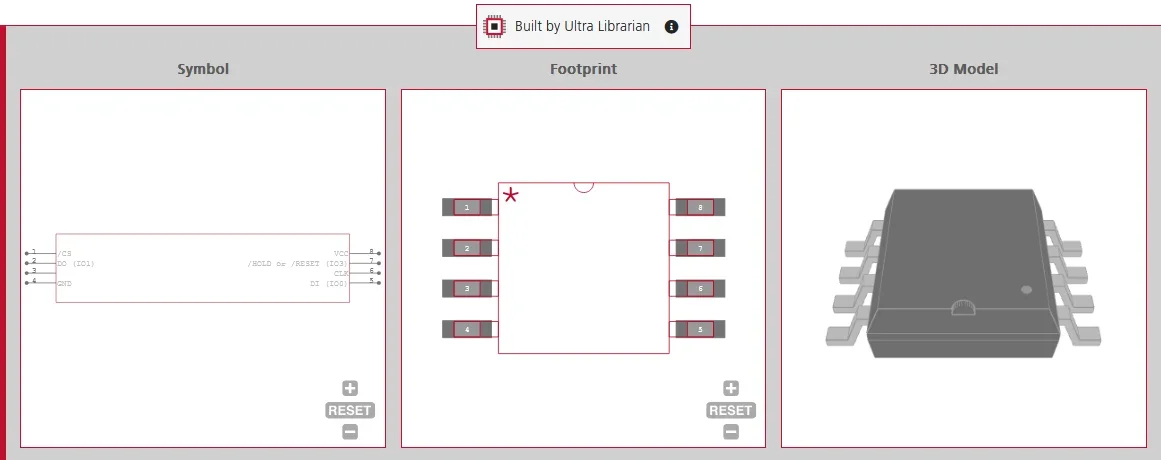
 If you’re looking for any of our component footprints or models, we have readily available and free options for you and your design team. Search our library for the solution you’ve been looking for.